
Access
The essentials for rehearsals and live shows, at a low price
€19.99excl. tax
one-time payment
- 1 host computer
- 1 device (1 browser window)
- Automatic stop and continuous playback
- MIDI controller support
- Fixed pre-roll (4 beats, not adjustable)
Build your show in Arrangement View like you always do. On stage, choose the song, loop a section or start and stop from a phone, a tablet, a computer or a MIDI pedal. Your Ableton project is never modified.
Free, with no time limit: sessions of up to 15 minutes, a pause of 5 minutes between them, up to 5 sessions per 24 hours. No account or credit card.
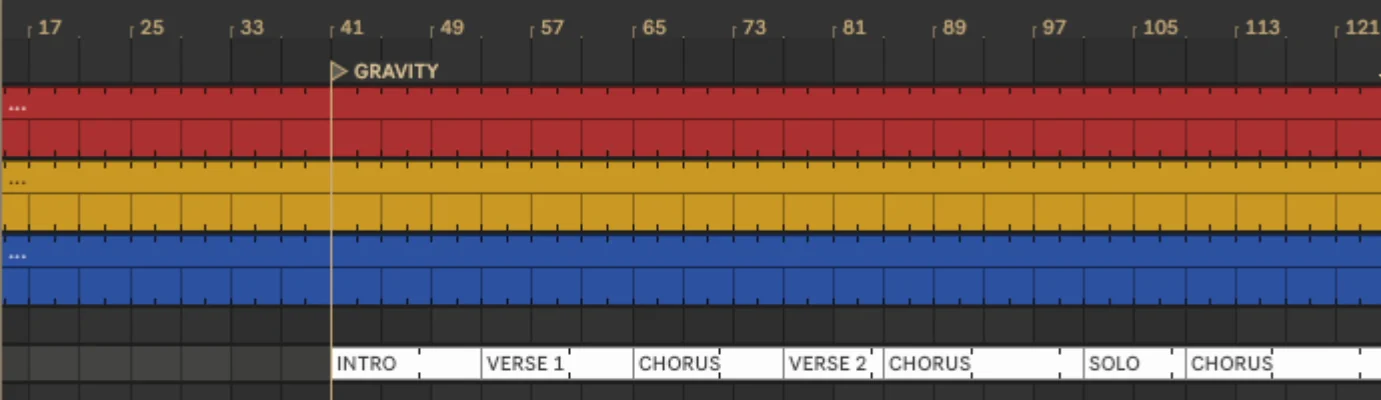
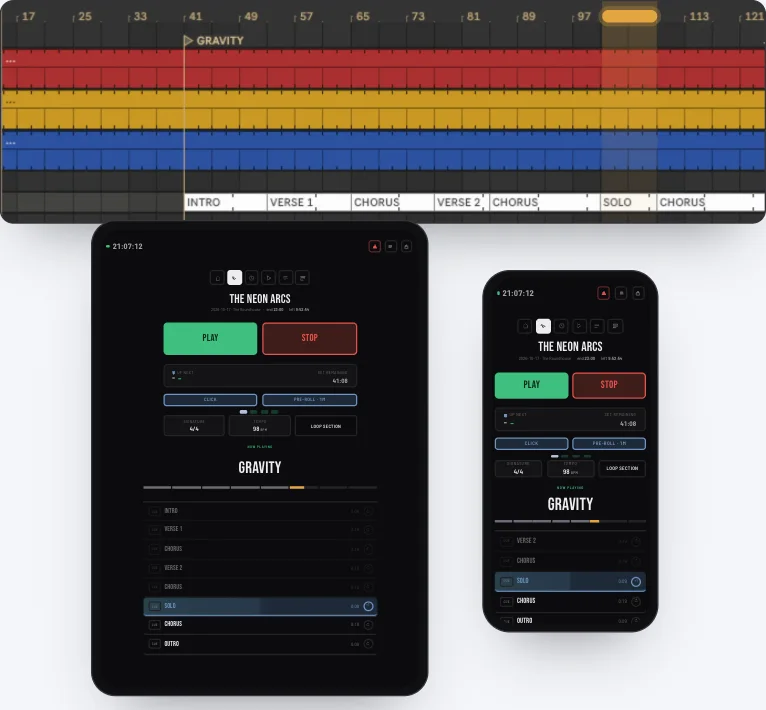
Ableton plays. Your tablet and phone follow, section by section.
How an Arrangement View session is controlled from the stage.
 Watch the demo
YouTube only loads when you press play.
Changing songs shouldn't mean going to the computer, finding the locator and pressing play while everyone waits. You keep working in Arrangement View, and Markerlist is the remote for the show.
Build your songs, sections and locators in Ableton Arrangement View as usual.
Open the Markerlist control interface on the phone, tablet or computer you want to use on stage.
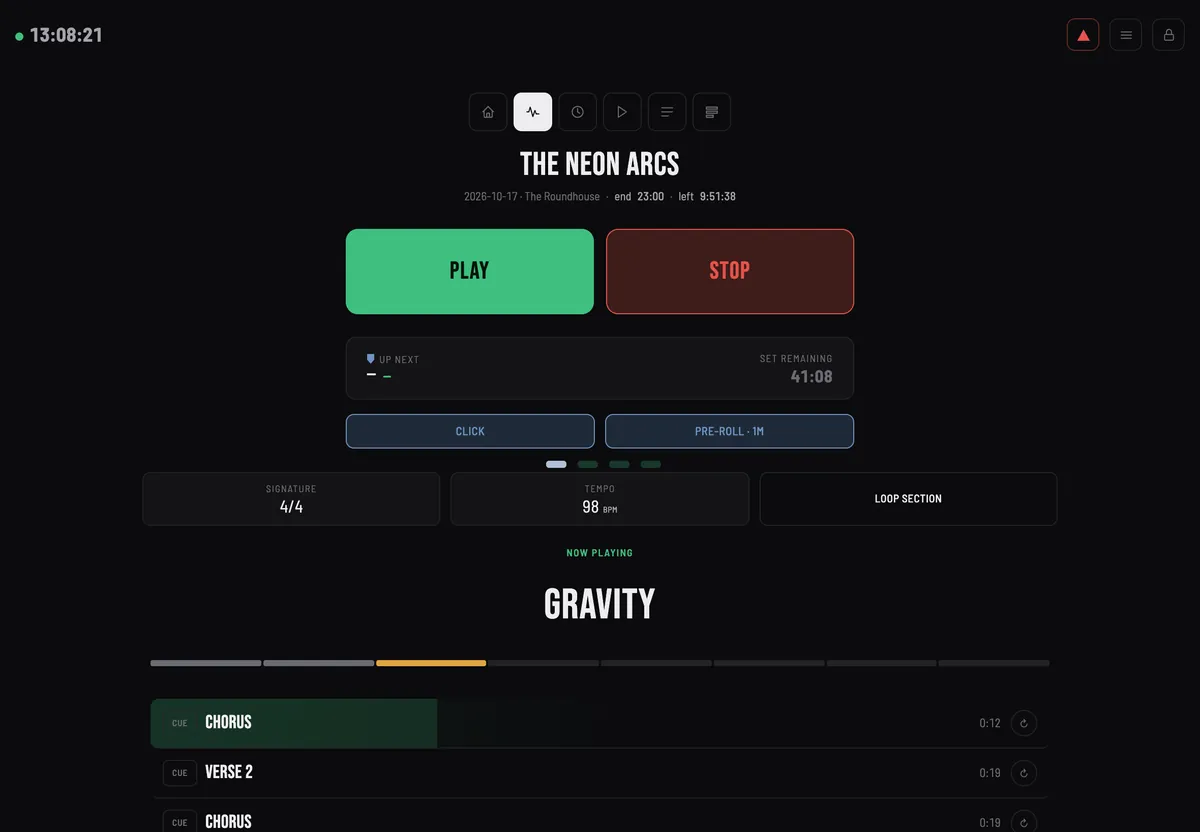
Choose songs and sections, trigger loops and control playback without going back to the Mac. The current song, what's next, tempo and time left stay in view.
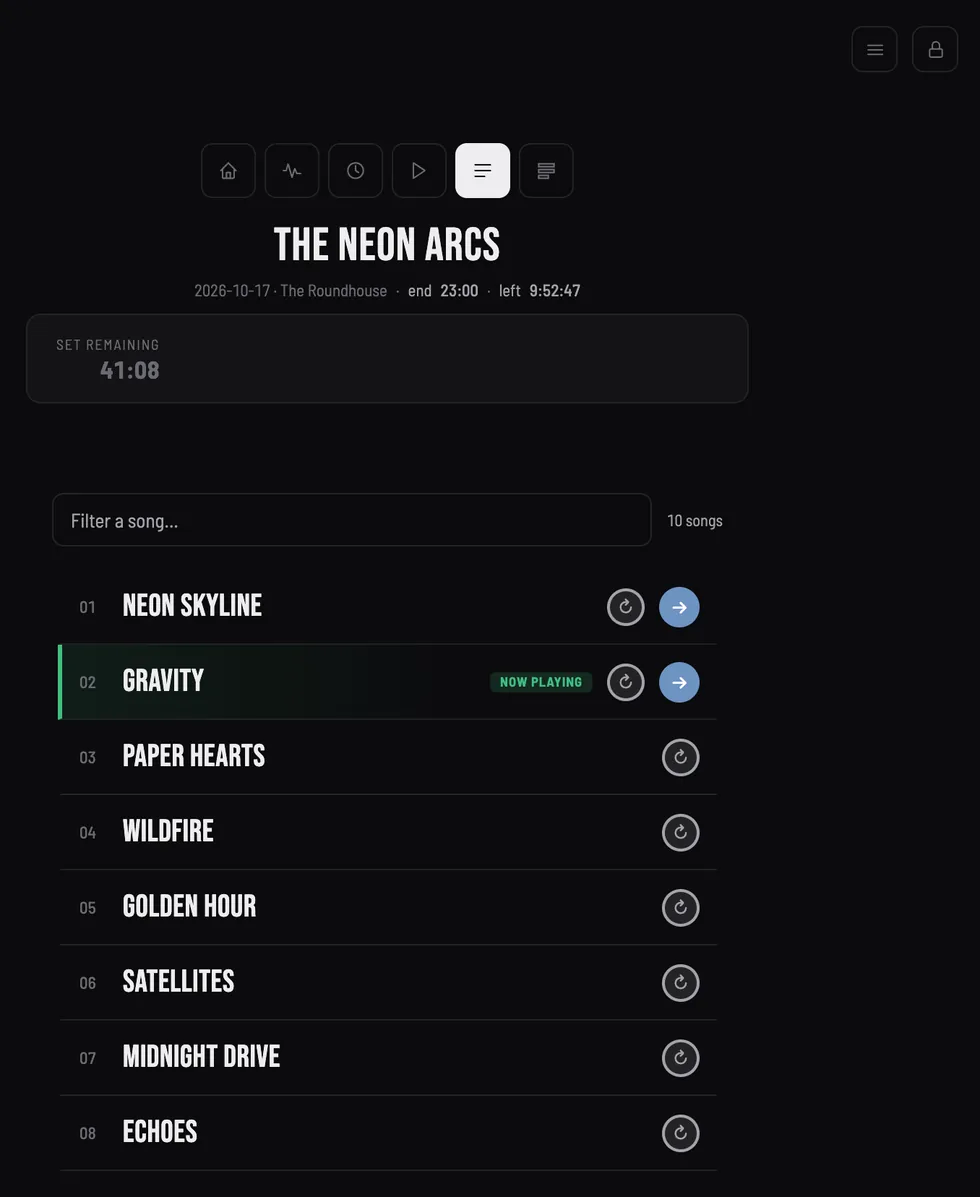
The order of the set lives in Markerlist. Your Ableton project is not touched.
Drag & reorder and PDF export: Standard Solo and up
Section loops and cue: Standard Multi and up
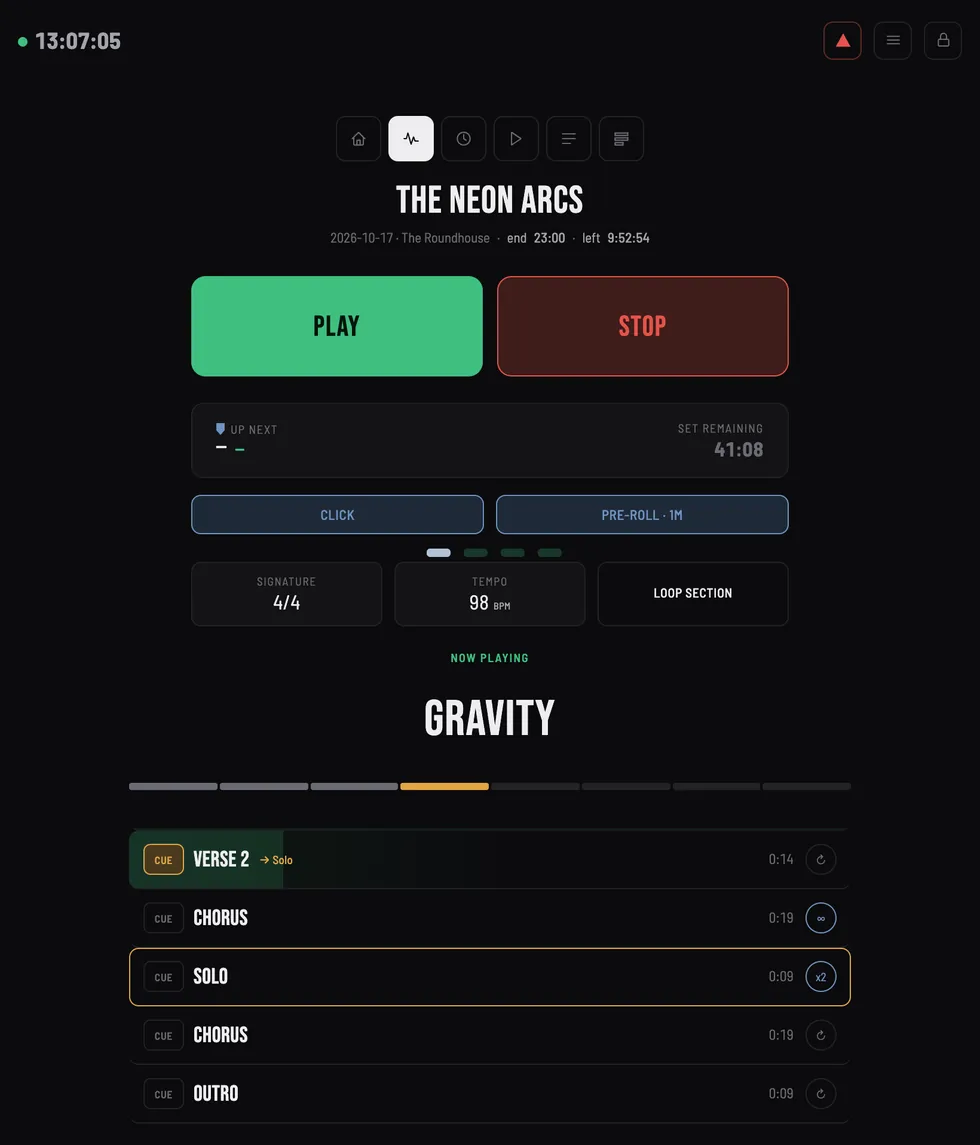
One screen with what you need during a song.
Live view mode: Standard Multi and up
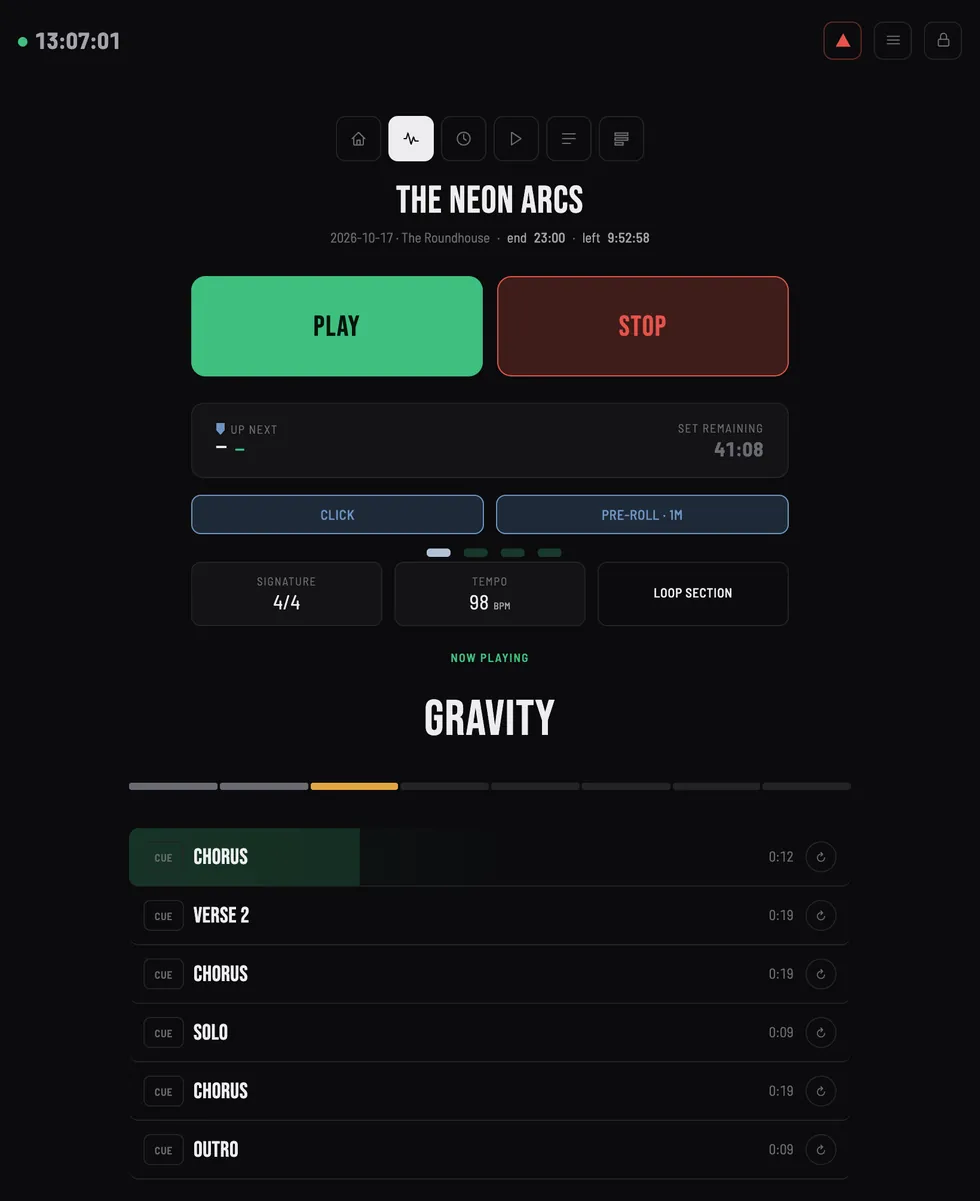
Mute or solo an Ableton track from the stage when something goes wrong.
Track setup and control: Standard Solo and up
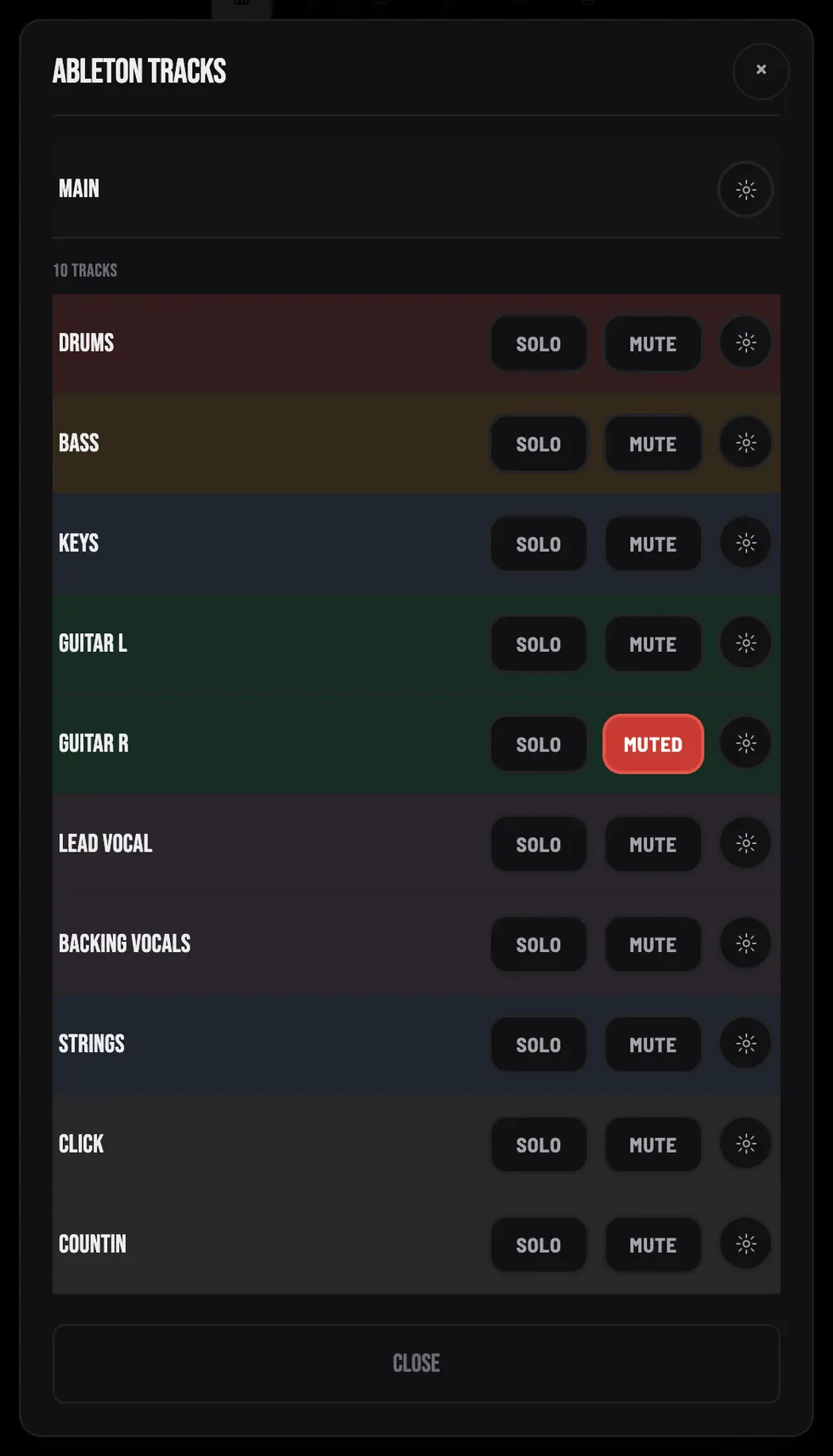
Markerlist runs its control interface in a browser. Connect phones, tablets or computers to the same live show, while the Ableton host stays on the Mac.
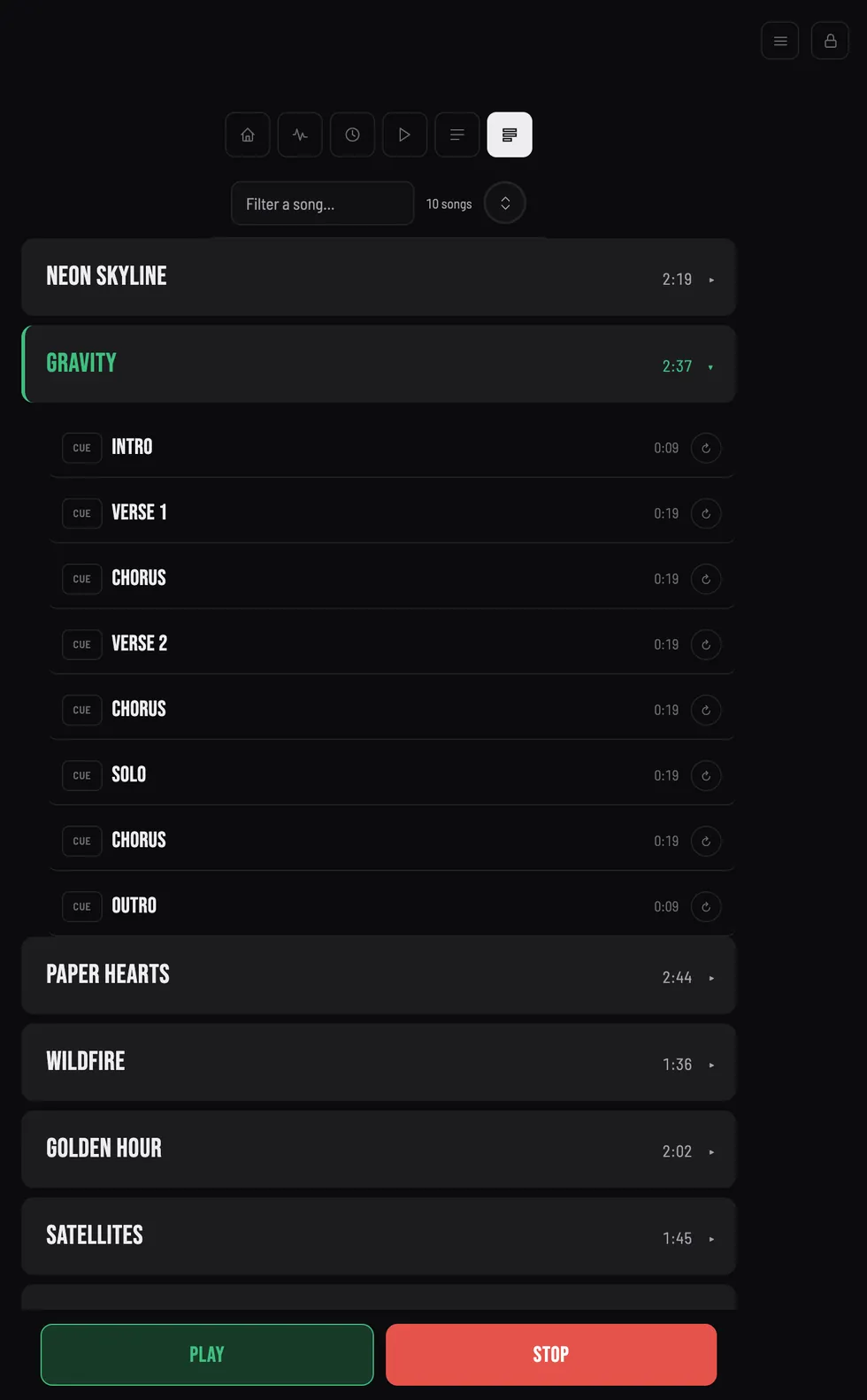
Large, clear controls for a stage-side view of the set.
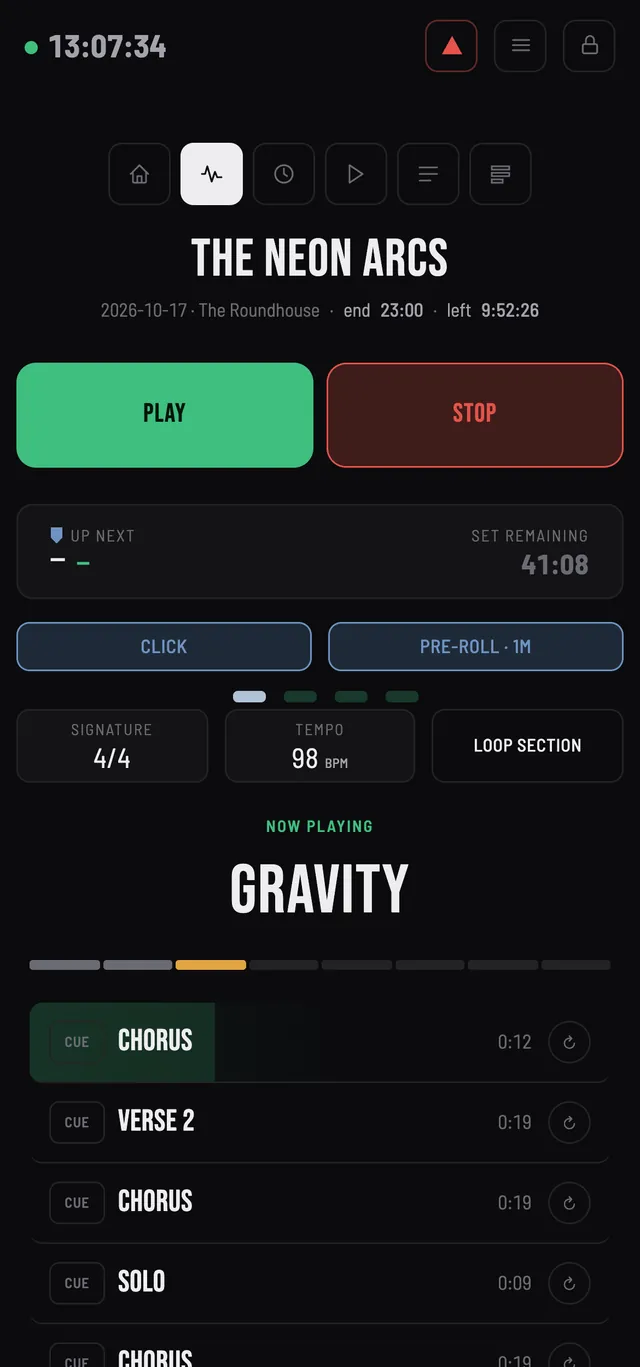
Keep the essential controls with you without carrying another piece of hardware.
Use a browser window on macOS or Windows as another control surface.
One open browser window counts as one connected device, with the number of simultaneous devices determined by your plan.
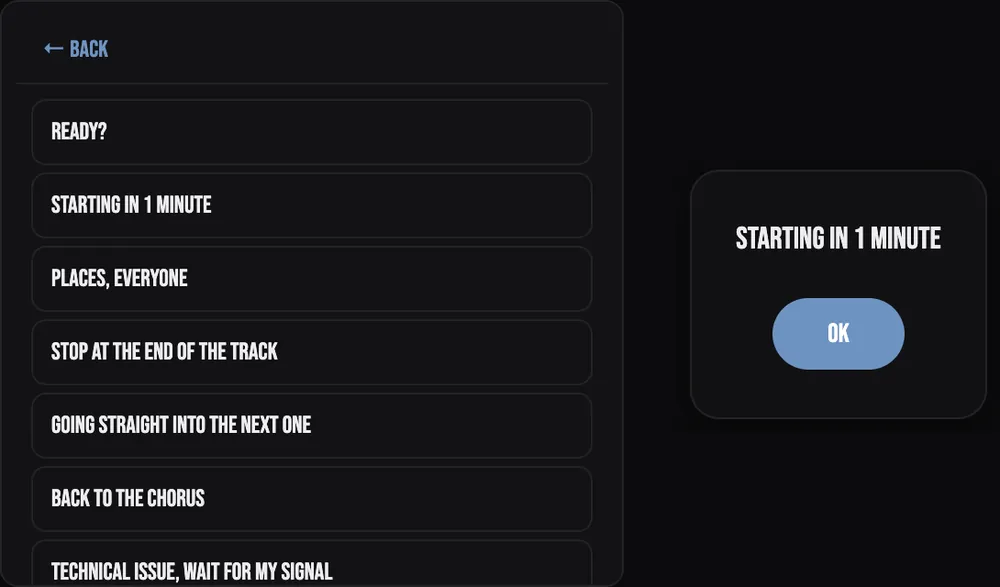
Send a note to every screen, or to one device: “Starting in 1 minute”.
Standard Multi and up
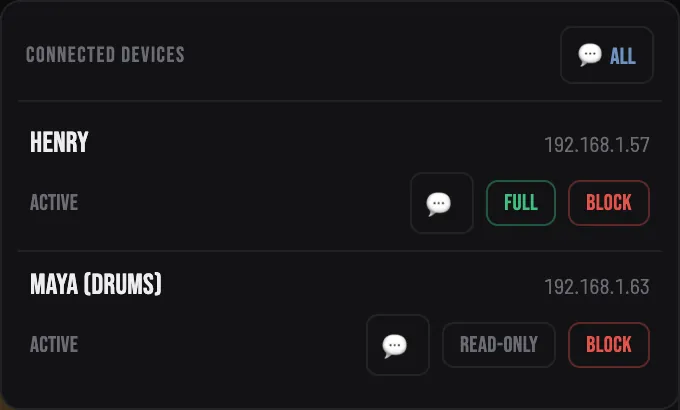
Give team members access to the information they need, and keep critical show controls with the authorized operator.
Standard Multi and up
Markerlist announces the next section and the loop status out loud, so the band doesn't have to watch a screen.
Every plan
Plug in a MIDI footswitch, pad controller or keyboard, press Learn, hit the button you want. Notes or CC messages.
Included in every plan; each button follows your plan's rights, so section loops and release come with Standard Multi and Pro Multi. Program Change messages are not supported yet. On the backup computer of a redundancy pair the controller is ignored.
Try the pads. The lights follow the same rules as the LEDs on a real controller.
Pro Multi adds a second Mac running a mirrored Ableton show, ready to take over when the main computer has a problem.
The backup mirrors setlist order, sections, loop cues and track controls, and stays muted until you decide.
The backup mirrors setlist order, sections, loop cues and track controls, and stays muted until you decide.One tap, and the backup is the show. Your tablet, phone and computer stay connected: nothing to rebuild.No song licensing or monthly plan. Major updates are included for year one with Standard Solo, Standard Multi and Pro Multi, then available through an optional Evolution Pass.
The essentials for rehearsals and live shows, at a low price
one-time payment
Duos and live performances
Solo artist: one controller for your show.
one-time payment
Your whole team, in sync
Band or several people controlling the same show.
one-time payment
Touring acts and big rooms: automatic failover if a computer goes down
Critical show: two-machine redundancy and LTC backup.
one-time payment
Evolution Pass: major updates from year 2 onward (year 1 is included with Solo and Multi)
Choose Evolution PassNot sure yet? Free trial
Every Pro Multi feature, free, with no time limit on the trial: play in sessions of up to 15 minutes, as many days as you like, on 1 host computer and 1 device. Test it with your real set before choosing a plan.
Between sessions: a pause of 5 minutes. Up to 5 sessions per 24 hours.
Prices exclude tax. VAT or the equivalent is added at checkout, based on your billing country.
| Feature | Access | Standard Solo | Standard Multi | Pro Multi |
|---|---|---|---|---|
| Stops & continuous playback | Included | Included | Included | Included |
| Library & management | Included | Included | Included | Included |
| MIDI device control | Included | Included | Included | Included |
| Voice announcements | Included | Included | Included | Included |
| Drag & reorder | Not included | Included | Included | Included |
| Setlist PDF export | Not included | Included | Included | Included |
| Ableton track setup and control | Not included | Included | Included | Included |
| Team pre-roll | 4 fixed beats | Included | Included | Included |
| Section loops | Not included | Not included | Included | Included |
| Section cue | Not included | Not included | Included | Included |
| Multiplayer & sync | Not included | Included | Included | Included |
| Live view | Not included | Not included | Included | Included |
| Roles per device | Not included | Not included | Included | Included |
| Team messages | Not included | Not included | Included | Included |
| Two-machine redundancy | Not included | Not included | Not included | Included |
| LTC timecode backup | Not included | Not included | Not included | Included |
No. Markerlist controls your session externally and does not write changes into your original .als project.
No. Markerlist does not require Max for Live or a Markerlist plugin to be loaded into your Ableton project.
Yes. Arrangement View is the core workflow: build your show in Ableton, then use Markerlist as the live control layer.
Every edition of Live 11 and Live 12 works: Intro, Lite, Standard and Suite. You do not need Max for Live, so editions that do not include it work too. The computer hosting the session is currently a Mac.
The control interface runs in a browser on iOS, Android, Windows or macOS. The computer hosting the Ableton session is currently a Mac.
Not to run your show. A paid license is checked online once, when you activate it, and the free trial needs to connect at least once every 24 hours. Your devices talk to the Mac over your local network.
No. Unlike a Max for Live device, which runs inside Ableton's audio engine and can be affected by its load, Markerlist controls your session from the outside through a dedicated MIDI and OSC channel. It adds nothing to your audio path.
The device reconnects by itself and gets the exact state of the show back. A command sent during the outage is not executed late when the network returns.
Any controller that sends Note or CC messages: footswitches, pad controllers, keyboards. Program Change messages are not supported yet. MIDI control is included in every plan, and each button follows your plan's rights. It drives the main computer and is ignored on the backup computer of a redundancy pair.
Yes. Markerlist provides essential track controls such as mute and solo, plus track-level controls available in the app. It is intended as a stage-side control and safety tool, not as a replacement for Ableton's visual mixer.
Yes. Multi plans allow several control devices to connect to the same show, with roles and permissions available on supported plans.
Yes. Pro Multi adds two-machine redundancy, with a second Mac running a mirrored show and ready to take over when needed. LTC backup is also included.
Yes. Discovery is free and lets you test Markerlist with your own setup before choosing a paid plan.
Download the free Mac trial and run a real rehearsal with it. No account, no credit card.
Free, with no time limit: sessions of up to 15 minutes, a pause of 5 minutes between them, up to 5 sessions per 24 hours. Mac with every edition of Ableton Live 11 and 12.